macOS
Maclet
- Open Source
- In Development
Overview
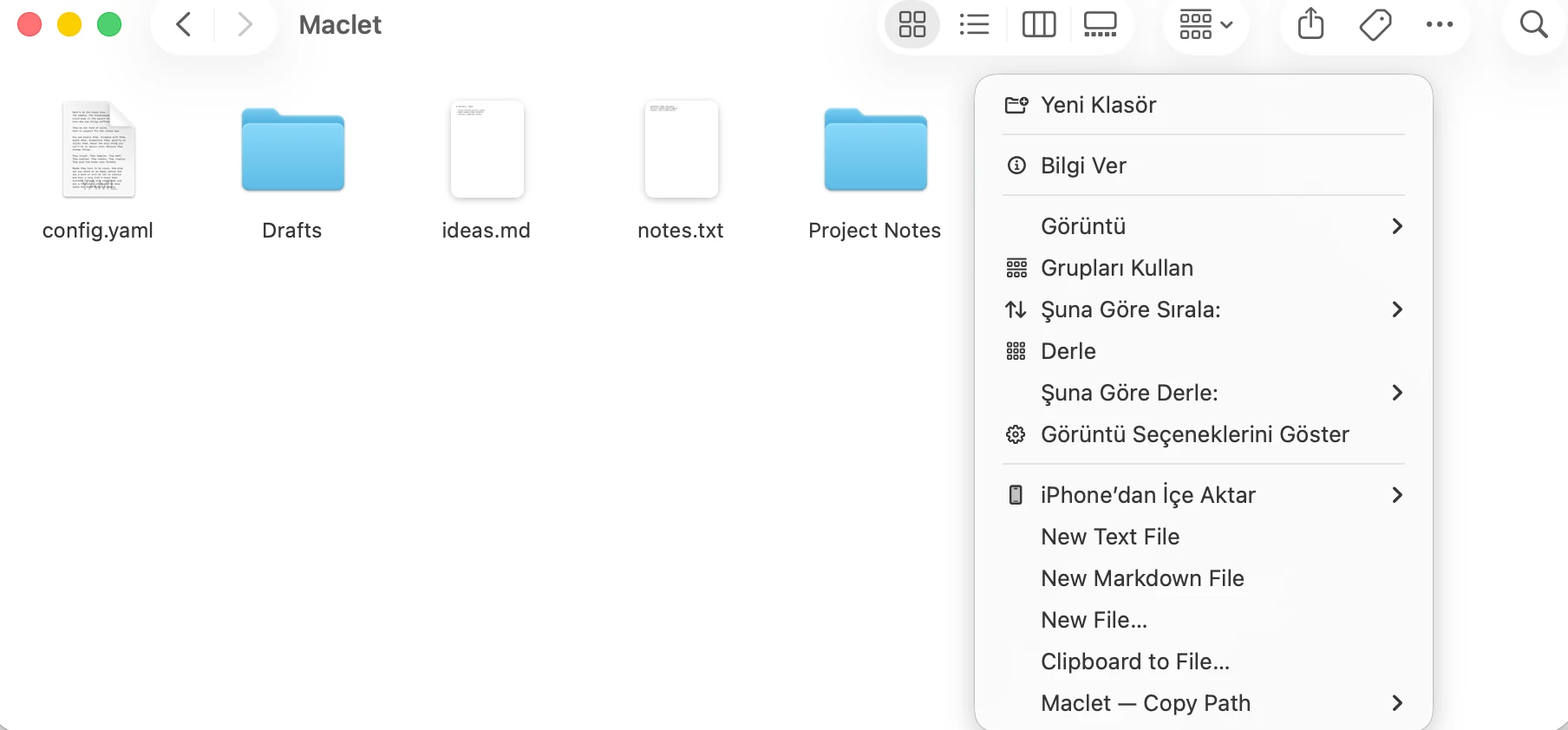
Maclet is a native macOS utility designed to make common small file operations in Finder faster and more controlled. It integrates with Finder while running file operations through a shared, safety-focused action engine.
Problem
Small file operations in Finder are simple, but they often take more steps than they should. Maclet started from the idea of making these repetitive actions faster without leaving the Finder context.
Approach
Rather than designing Maclet as a collection of unrelated mini-tools, I built it as a system in which actions share the same validation, authorization, and error-handling rules.
The Finder Sync extension only communicates the current context and requested action to the main app. The actual filesystem operations run in the main app, where authorization, validation, and error handling can be controlled.
Selected features
New File
Speeds up creating a new file directly from Finder.
Clipboard to File
Helps turn clipboard content directly into a file.
Smart Path
Makes working with file and folder paths more practical.
Folderize Selection
Organizes selected items under a new folder.
Finder Quick Create
Provides quick access to creation actions from the Finder context.
Technologies
- Swift
- SwiftUI
- AppKit
- Finder Sync
- Swift Package Manager
- XCTest
- XcodeGen
Development decisions
Keep Finder Sync narrow
The Finder Sync extension only creates requests; file operations run in the main app. This keeps authorization and security boundaries narrower and easier to reason about.
Treat Finder paths as context, not authority
Finder-provided paths are treated as context rather than as permission to access the filesystem broadly. This helps avoid turning path discovery into unnecessary filesystem authority.
Validate file mutations and support rollback
File mutations use exclusive operations together with validation and rollback-oriented handling to reduce the risk of overwriting existing data or leaving operations partially complete.
Learnings
macOS sandboxing became part of the product architecture
Building Maclet turned macOS sandboxing, Finder Sync, and security-scoped bookmark concepts into a real product flow rather than isolated APIs.
Filesystem operations require explicit safety boundaries
Working with filesystem operations made TOCTOU risks, symlink handling, rollback, and authorization boundaries much more concrete.